If you want to use structured data for AI Overviews and you absolutely should, this guide is your starting point. Structured data is one of the most overlooked SEO tools on the web and one of the most powerful signals Google’s AI uses when deciding which pages to cite. This guide explains exactly what it is, why it matters, and how to add it to your WordPress site today without writing a single line of code.
What Structured Data Actually Is
Structured data is code you add to a webpage that tells search engines in plain machine-readable language what the content means. Not just what it says, but what it actually represents.
Think of it this way. When Google reads a normal article, it has to guess. It sees words on a page and figures out from context that this is a guide, or a recipe, or a product listing. Structured data removes the guesswork. It hands Google a labelled package that says: “This is an Article. The author is Kia Selmonton. It was published on March 4, 2026. These are the questions it answers.”
The most common format for structured data in 2026 is JSON-LD. It sits inside your page’s HTML head section and is completely invisible to readers. Google reads it, processes it, and uses it when deciding how to display and cite your content.
JSON-LD stands for JavaScript Object Notation for Linked Data. It is Google’s officially recommended format for structured data cleaner than alternatives like Microdata or RDFa, and far easier for AI systems to parse accurately.
Why Google AI Overviews Rely on Structured Data
Using structured data for AI Overviews is not optional anymore, it is how Google’s AI decides which pages are worth citing. In March 2025, both Google and Microsoft publicly confirmed they use schema markup for their generative AI features. ChatGPT followed shortly after, confirming it uses structured data to determine which sources appear in its results. This was not a minor update, it changed how the entire discovery model works.
Here is why the numbers are that significant. When Google’s AI builds an Overview, it synthesizes content from dozens of pages in seconds. It needs to understand each page instantly what type of content it is, who wrote it, what questions it answers, and whether it is trustworthy. Pages with schema markup give that information explicitly. Pages without it make the AI guess.
AI systems always prefer the page that makes their job easier. That is not a theory, it is what the data consistently shows.
Related Reading
For a full breakdown of all the factors that determine AI Overview citations including where schema fits in the priority order read our complete guide: How to Appear in Google AI Overviews: A Complete 2026 Guide.
The Four Schema Types That Matter Most for AI Overviews
Using schema markup for AI Overviews comes down to four specific types. You do not need to implement every schema type that exists just these four cover the vast majority of content Technexies publishes and deliver the strongest citation signals.
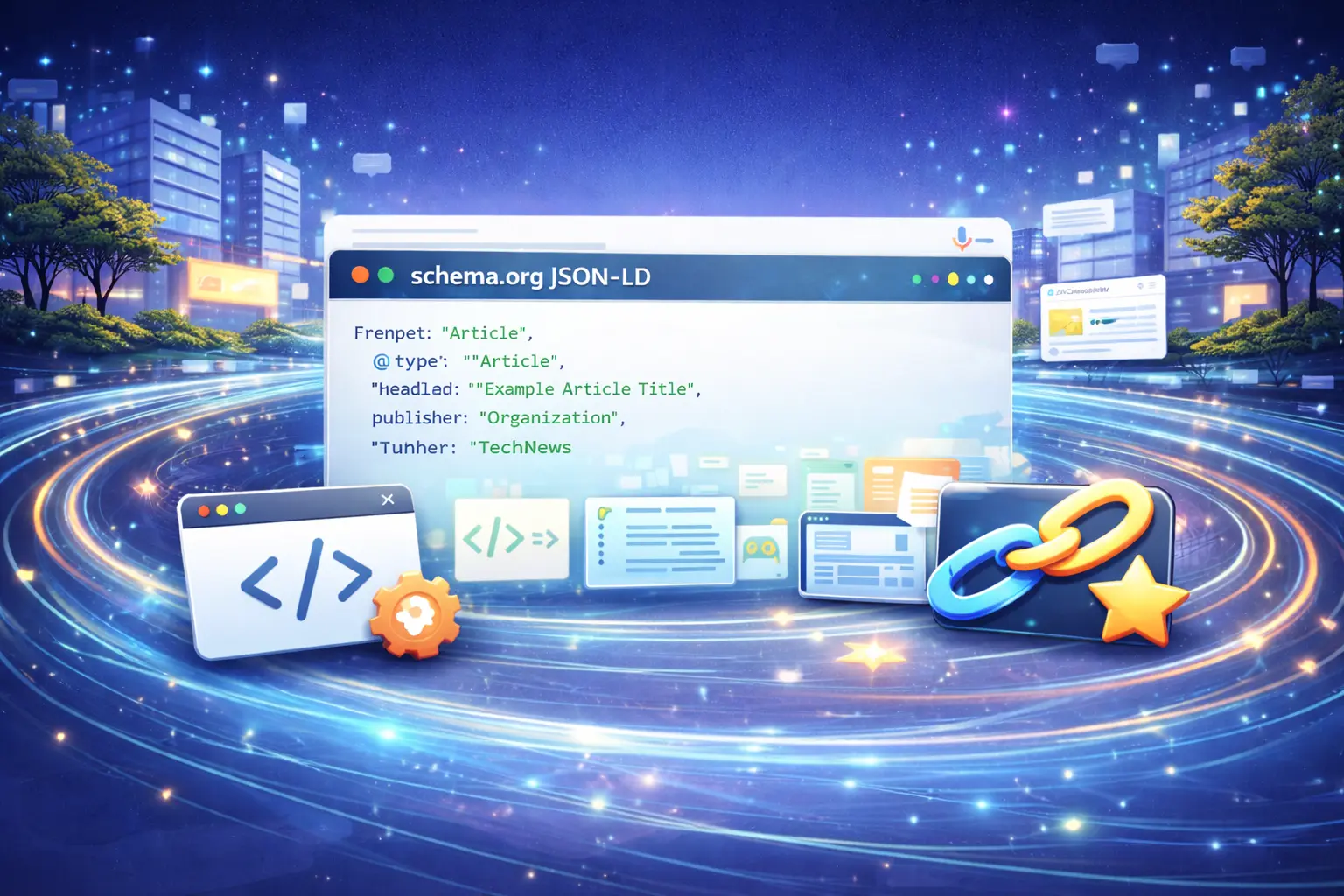
1. Article Schema
This is the foundation. Article schema tells Google exactly what your page is an article and connects it to a named author and a publishing organization. Without it, Google infers this from context. With it, Google knows for certain.
Every single post you publish should have Article schema. Rank Math adds a version of this automatically, but you should verify the author name, publish date, and publisher fields are populated correctly.
{
  "@context": "https://schema.org",
  "@type": "Article",
  "headline": "Your Article Title Here",
  "author": {
    "@type": "Person",
    "name": "Kia Selmonton",
    "url": "https://technexies.com/about-us/"
  },
  "publisher": {
    "@type": "Organization",
    "name": "Technexies",
    "url": "https://technexies.com"
  },
  "datePublished": "2026-03-04",
  "dateModified": "2026-03-04"
}
2. FAQPage Schema
FAQPage schema is the single most impactful schema type for AI Overview citations. It marks up each question and answer pair so Google can extract them as discrete, structured data objects. Research from Stackmatix recommends keeping FAQ answers between 40 and 60 words for optimal AI extraction short enough to be self-contained, complete enough to be useful.
Add a FAQ section to every guide and pillar article you publish. Use Rank Math’s FAQ block in the Gutenberg editor and the schema generates automatically.
3. HowTo Schema
Any article that contains numbered steps should have HowTo schema. It marks each step explicitly so Google’s AI can extract your process as structured procedural content rather than plain prose. Keep each step to one or two sentences and number them explicitly in the markup.
This is particularly valuable for SEO tutorials and technical guides the kind of content where users are looking for a process to follow, not just an explanation to read.
4. BreadcrumbList Schema
BreadcrumbList schema tells Google where this article sits within your site’s topical hierarchy. For Technexies, a typical breadcrumb path would be: Home → SEO Guides → This Article. This reinforces your topical cluster structure that all your AI Overviews articles belong together which builds topical authority for the entire cluster.
How to Add Schema in WordPress – No Code Required
Adding JSON-LD structured data in WordPress does not require any coding knowledge. If you use Rank Math or Yoast SEO, the plugin handles the JSON-LD output automatically. Here is the step-by-step process.
Rank Math automatically adds Article schema to every post. It reads your post author, title, and publish date and generates the markup without any manual input. If you already use Rank Math, Article schema is already working.
In the Gutenberg editor, click the + block button and search for “Rank Math FAQ.” Add your questions and answers inside it. Rank Math generates the FAQPage JSON-LD automatically when you publish. Do not use a plain list, it must be the Rank Math FAQ block to generate the schema.
Search for “Rank Math HowTo” in the Gutenberg block panel. Add your steps inside the block. Give each step a clear title and a one or two sentence description. Rank Math builds the HowTo JSON-LD when you publish.
Go to Rank Math → Titles and Metas → Global Meta → Breadcrumbs → toggle on. Then add the Rank Math Breadcrumbs widget to your theme’s article template. The BreadcrumbList schema generates automatically once breadcrumbs are enabled.
How to Test Your Schema Before Publishing
Adding schema without testing it is a mistake. Broken structured data Google search systems encounter is worse than no schema at all, it can confuse Google’s understanding of your page entirely. Always validate before publishing.
Use Google’s Rich Results Test to check any URL or paste in code directly. It shows exactly which schema types Google detected and flags any errors or warnings. Fix every error before publishing.
After publishing, confirm your Article schema WordPress setup is working by checking the Enhancements section in Google Search Console. If Article schema is valid, it appears there within a few days of indexing.
In November 2025, Google deprecated seven structured data types. The important ones – Article, FAQPage, HowTo, Organization, and BreadcrumbList were not among them. The deprecated types (Practice Problem, Q&A, SpecialAnnouncement) were low-adoption types most sites were not using anyway. ALM Corp’s schema guide confirms the core schema types remain fully supported and prioritized by Google.
Frequently Asked Questions
Q. Does structured data directly cause AI Overview citations?
Not directly, but it significantly increases your chances. Schema markup gives Google’s AI explicit signals about your content type, authorship, and structure. Pages with proper schema show 73% higher AI Overview selection rates compared to pages without it, according to research from Wellows (2026).
Q. Which schema format should I use JSON-LD, Microdata, or RDFa?
Always use JSON-LD. Google’s official guidance as of May 2025 explicitly recommends JSON-LD for AI-optimized content. It is cleaner, easier to maintain, and far easier for AI systems to parse than the alternatives.
Q. Is FAQPage schema still worth adding after Google’s 2023 deprecation?
Yes. Google deprecated FAQ rich results (the accordion in search results) for general websites in 2023, but FAQPage schema still helps AI systems understand your Q&A content structure. ALM Corp’s research confirms that FAQPage schema continues to support AI Overview citations even without generating the visual rich result in traditional search.
Q. Can I add schema without using a plugin?
Yes. You can manually paste JSON-LD schema code into your WordPress theme’s header or use a plugin like Insert Headers and Footers to add it per-page. However, using Rank Math or Yoast is significantly easier and less error-prone, especially if you are managing multiple articles.

Kia has worked in SEO and digital marketing for over a decade, building and optimising websites across different industries. He founded Technexies to share what actually works in modern search written from direct professional experience rather than theory. All content on Technexies is researched, written, and reviewed by Kia personally.